NyxArete for Destiny Springs

Annual Training Program

Complete your comprehensive annual workforce training with confidence.

This program guides clinical, non-clinical, and leadership staff through required annual training, including patient communication, professional standards, privacy, and reporting pathways for incidents such as abuse or neglect, with progress tracking, final assessment scoring, and completion records. Most learners finish in about 45 to 60 minutes.

Estimated completion: 45-60 minutes. Completion and attestation are recorded automatically.

Role-based training tracks Scenario + assessment format Completion and attestation records
Program Snapshot

Structured annual training, measurable mastery, and completion-ready evidence.

NyxArete official logo

6 learning modules

25 assessment questions

80% required pass score

Destiny Springs training launch screen Training learning map screen Interactive scenario lesson screen
Live training environment preview

Designed for annual training completion, policy retention, and staff readiness.

Start Training Now

Annual compliance aligned

Role-track specific content

Completion + attestation logging

Program Facts

Quick details before your team begins.

Estimated Duration

45-60 minutes

Passing Score

80% or higher

Required Audience

All staff role tracks

Recordkeeping

Annual completion logged

Program Overview

What participants complete during this training.

Core Lessons

Key expectations for communication, professional conduct, privacy, safety, and incident reporting.

Scenario Practice

Interactive decision-making in realistic behavioral health situations with immediate feedback.

Final Assessment

Scored knowledge check with completion attestation and records for annual compliance tracking.

Training in Practice

Actual screens from the live Destiny Springs training experience.

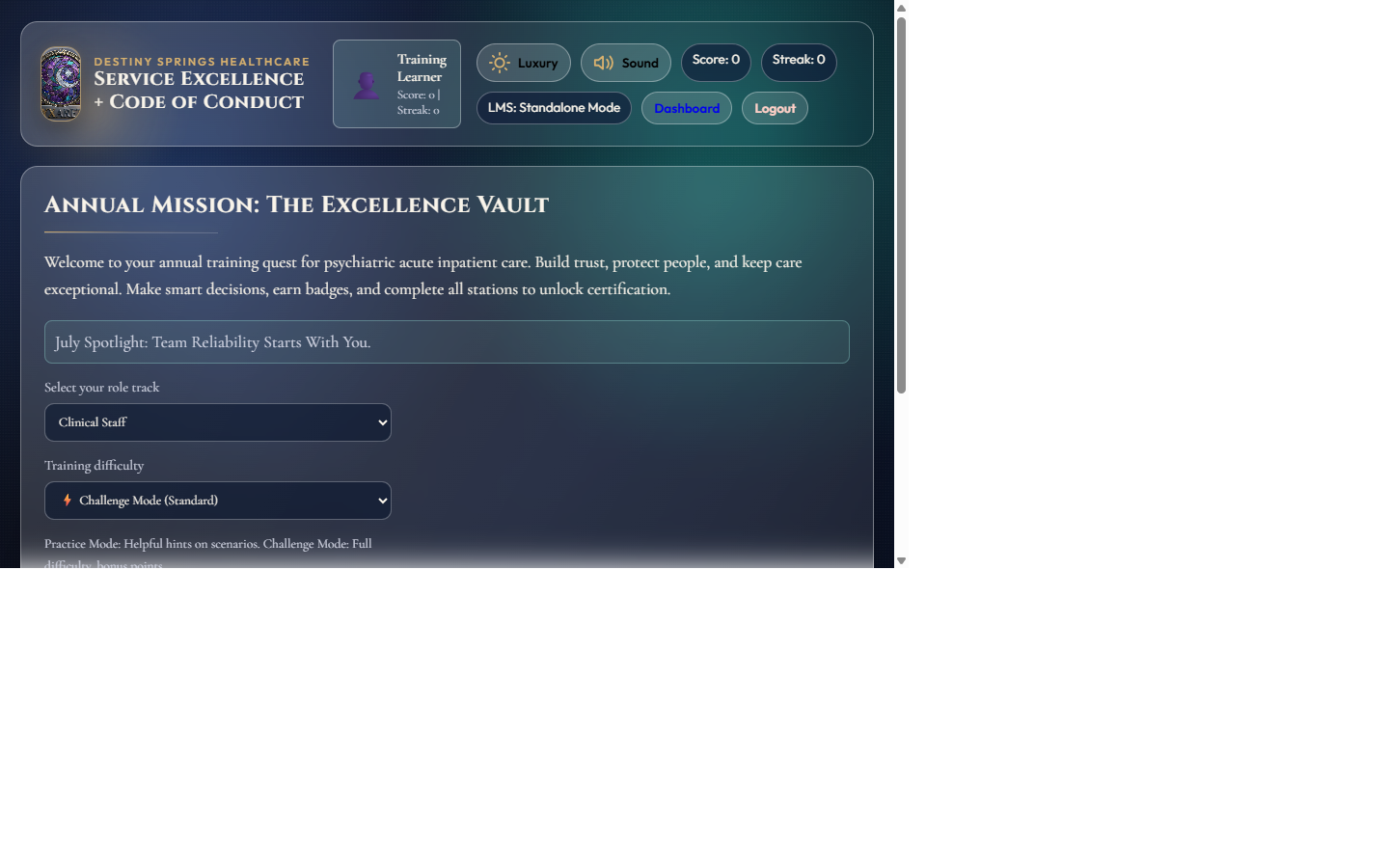
Live training app entry screen showing role track and challenge mode selection Launch + Setup

Clear Start Experience

Learners immediately see role-track options, timing expectations, and one-click access to begin annual training.

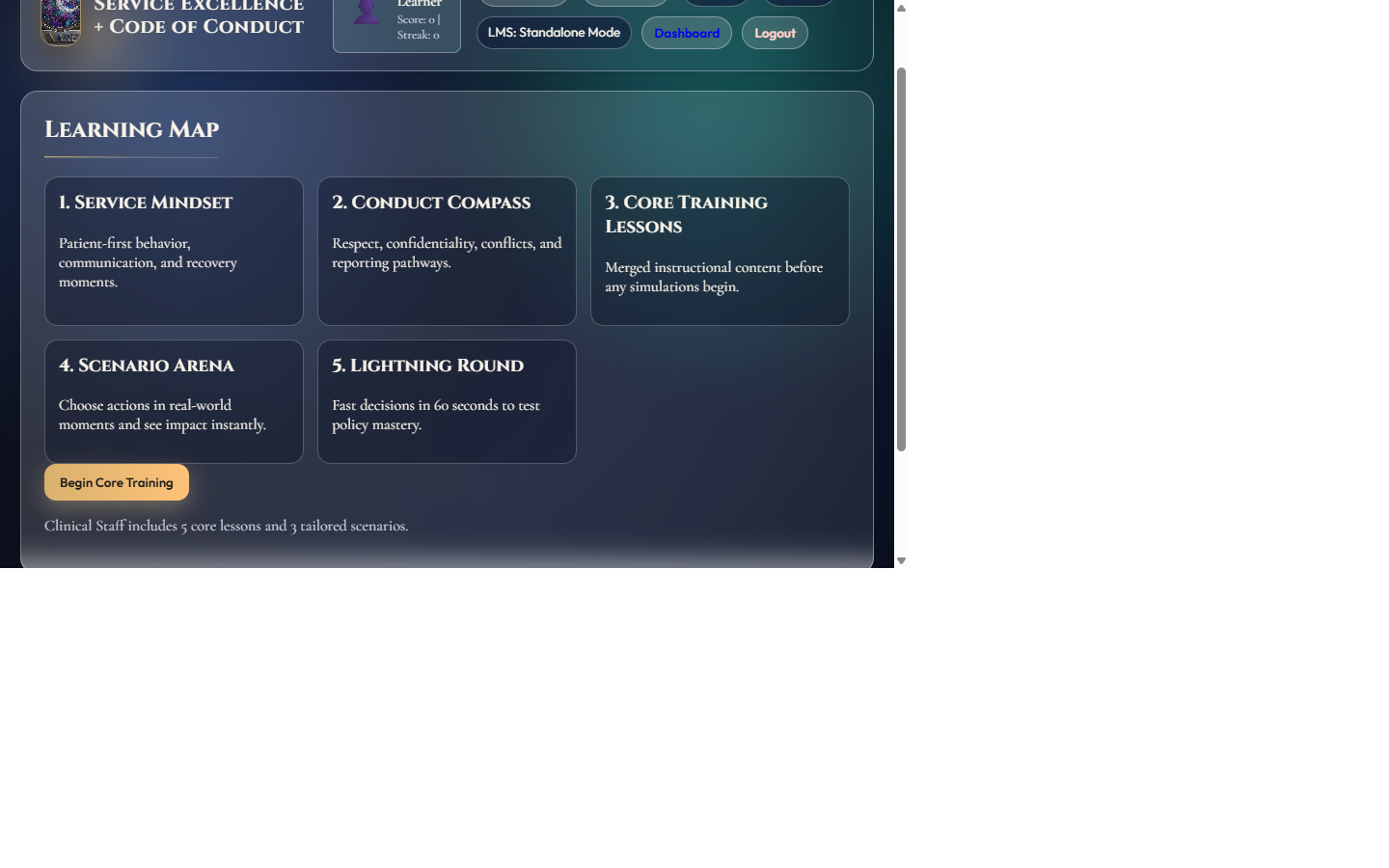
Learning map screen with five core training modules and begin core training action Learning Map

Structured Core Modules

The sequence walks staff through service mindset, conduct standards, core lessons, scenarios, and lightning-round mastery.

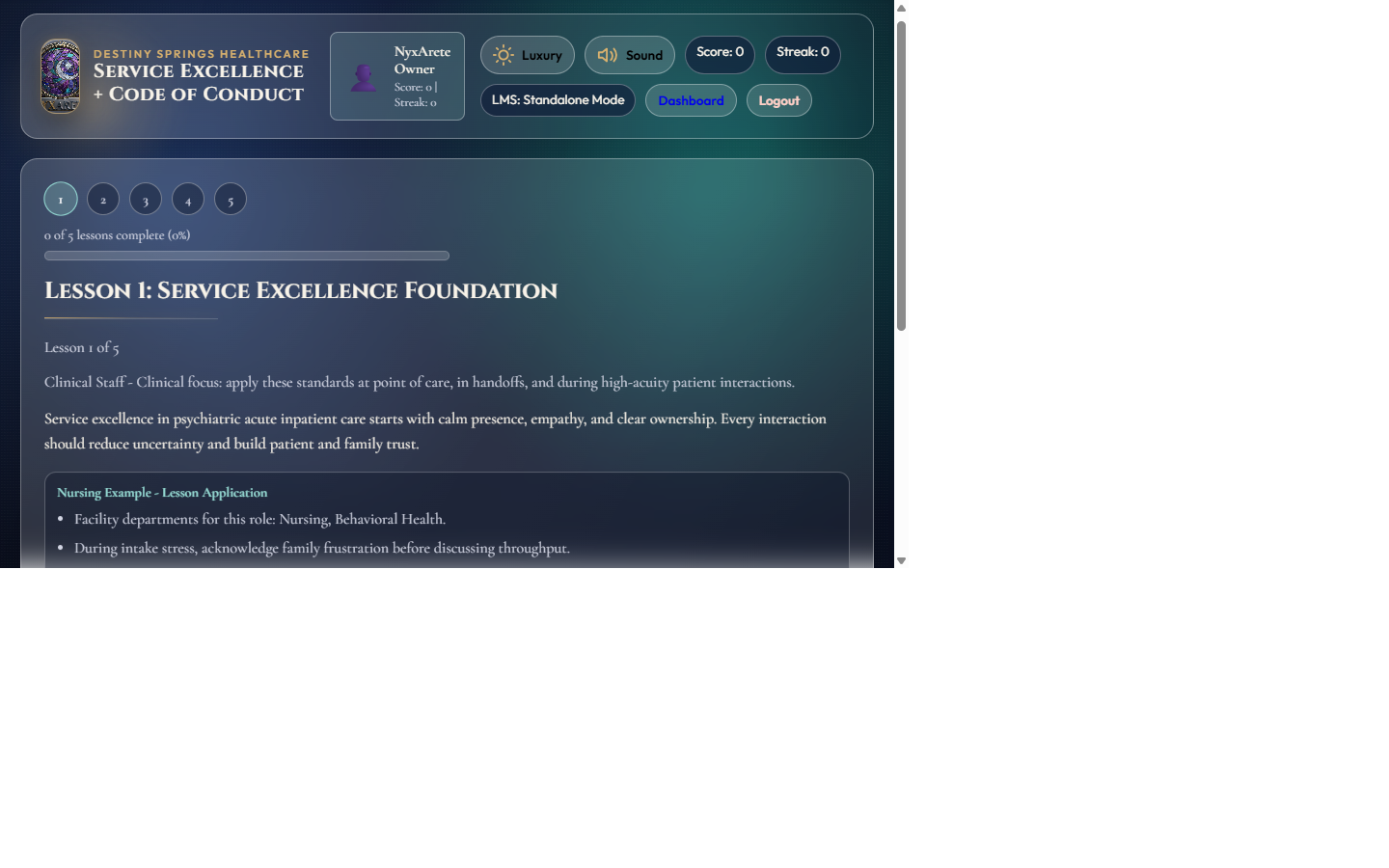
Lesson screen with progress markers, role-specific instruction, and interactive answer options Interactive Lesson

Role-Specific Decision Practice

Clinical and non-clinical teams get direct, scenario-driven prompts with immediate feedback tied to policy expectations.

Training Flow

From launch to completion in four clear steps.

Step 1

Start Session

~5 minutes

Open the training app and choose your role track.

Step 2

Complete Lessons

~15 minutes

Work through core training topics and role-specific examples.

Step 3

Finish Scenarios and Assessment

~20-30 minutes

Complete interactive scenarios, lightning round prompts, and final questions.

Step 4

Submit Completion

~5 minutes

Record attestation and final results for annual training documentation.

Requirements + Support

What learners need and where to get help.

System Requirements

  • Modern Chrome, Edge, Safari, or Firefox browser
  • Stable internet connection for tracking and submission
  • Desktop or tablet recommended for best readability
  • Audio optional for scenario immersion

Need Assistance?

  • Login or access issues: contact your facility training lead
  • Completion not recorded: retry submission, then report immediately
  • Technical issue during session: capture screenshot and time of error
  • Role track mismatch: notify your manager before completing

Frequently Asked Questions

Common questions from learners and supervisors.

Do I need to complete this in one sitting?

You can pause and resume, but complete all modules and submit attestation before your deadline.

How do I know I passed?

Your final score is shown at completion. A passing score is 80% or higher.

What if my completion does not appear?

Submit once more, then contact your training lead with your role, timestamp, and any error message.

Ready to begin this year's training?

Open the training app and continue directly to your required annual program.

Completion status and attestation are recorded to support annual compliance documentation.